
Creating a cozy and productive home office space is essential as more people embrace remote work or flexible schedules. Your workspace affects how motivated and comfortable you feel throughout the day. Luckily, with some thoughtful planning and design, you can craft an environment that supports your work habits while also offering a relaxing atmosphere.
In this post, we’ll share practical tips to help you design a home office where comfort meets efficiency.
Choose the Right Location
The first step in setting up your home office is selecting the right spot. Ideally, find a quiet area with minimal distractions. If possible, choose a space with natural light—it helps reduce eye strain and boosts mood.
Think about:
– Using a spare room or a quiet corner of your living room or bedroom
– Positioning your desk near a window for daylight
– Ensuring the space is away from high-traffic areas to stay focused
If space is limited, consider flexible or foldable furniture that can be easily tucked away when not in use.
Invest in Comfortable Furniture
Your home office furniture plays a large role in your comfort and productivity. An ergonomic chair with good back support is a worthwhile investment, as it helps prevent posture-related discomfort.
Tips for furniture:
– Choose a desk at the right height to keep wrists straight while typing
– Use adjustable chairs to support your posture
– Consider a sit-stand desk if you want to alternate between sitting and standing during your workday
Also, include storage options like shelves or filing cabinets to keep your workspace organized and clutter-free.
Optimize Lighting
Proper lighting is crucial for reducing eye fatigue and improving focus. Natural light is preferred, but it’s important to complement it with good artificial lighting.
Here’s how to optimize your lighting:
– Position your desk to avoid glare on screens
– Use a desk lamp with adjustable brightness for focused tasks
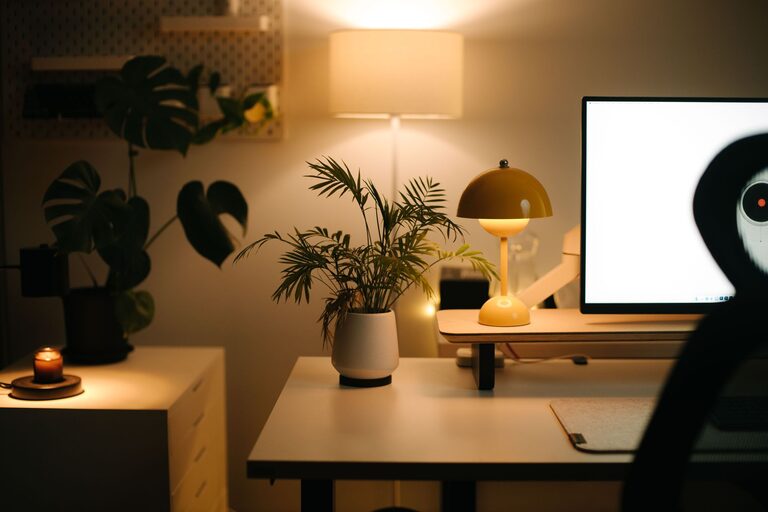
– Choose warm light bulbs for a cozy ambiance rather than harsh fluorescent lights
Good lighting can improve mood and productivity, so make it a priority when setting up your office.
Personalize Your Space
Adding personal touches makes your workspace inviting and helps you feel more connected to the environment. However, balance personalization with simplicity to avoid distractions.
Ideas for personalization:
– Display artwork, photos, or inspirational quotes
– Use plants to bring in greenery and improve air quality
– Incorporate colors that make you feel calm and focused, like soft blues or greens
Remember to keep walkways and desk surfaces clear so you maintain a tidy and efficient workspace.
Organize for Efficiency
Clutter can be a major productivity killer. Keeping your home office organized helps you stay focused and saves time searching for materials.
Organizing tips:
– Use drawer organizers or desk trays for small office supplies
– Label storage boxes for easy access
– Establish a filing system for documents, either digital or physical
– Regularly declutter your workspace at the end of the day
Additionally, maintain your digital files by creating folders and backing up important work.
Manage Noise and Distractions
Noise and interruptions can disrupt your concentration. Here are ways to minimize distractions in your home office:
– Use noise-canceling headphones or play gentle background music
– Communicate your work schedule with family or roommates
– Close doors or install room dividers if you share space with others
Creating boundaries helps you focus and signals to others that you’re in work mode.
Incorporate Movement and Breaks
While setting up a cozy workspace is important, remember to take care of your body by moving regularly.
Suggestions include:
– Stretching or walking for a few minutes every hour
– Setting reminders to stand or adjust your position
– Doing simple desk exercises to reduce stiffness
These habits improve circulation, reduce fatigue, and boost overall productivity.
Use Technology Wisely
Equip your home office with the technology you need but avoid overwhelming your space.
Technology tips:
– Invest in a reliable internet connection
– Use wireless devices to reduce cable clutter
– Organize cords with cable ties or covers
– Choose a monitor with adjustable height and screen size that fits your needs
Update software and backup work regularly to avoid frustrations.
—
Designing a cozy and productive home office doesn’t have to be complicated or costly. By focusing on a suitable location, comfortable furniture, effective lighting, personalization, and organization, you can create a workspace that enhances both your comfort and efficiency. Remember to manage distractions and incorporate movement to maintain your well-being throughout the workday.
With these tips, you’ll be well on your way to enjoying a home office that feels good and gets the job done.